

Keep
What's
Personal,
Personal, Personal
The privacy shield loved by professionals. Automatically blurs selected apps when someone else is detected or when you step away.
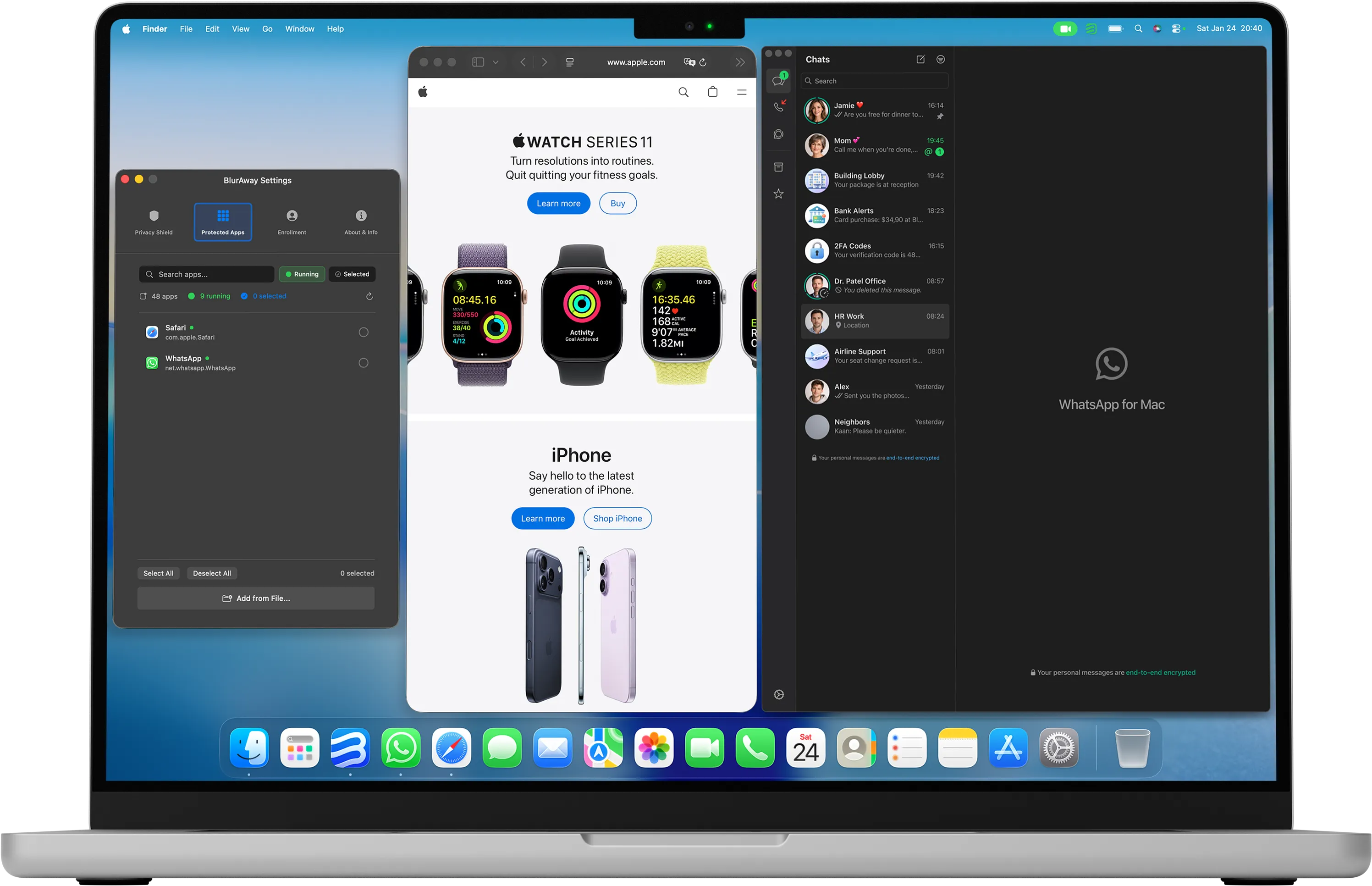
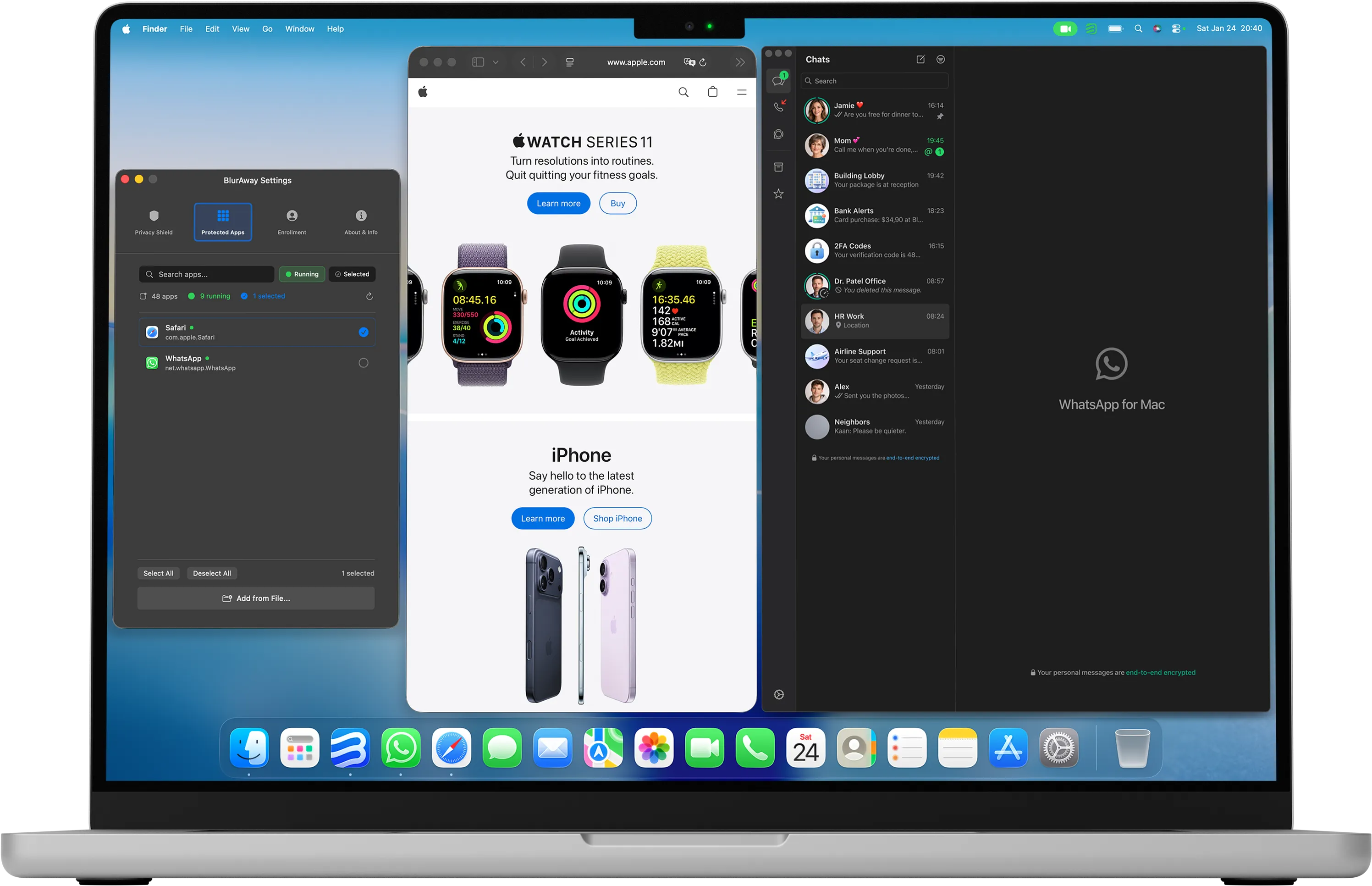
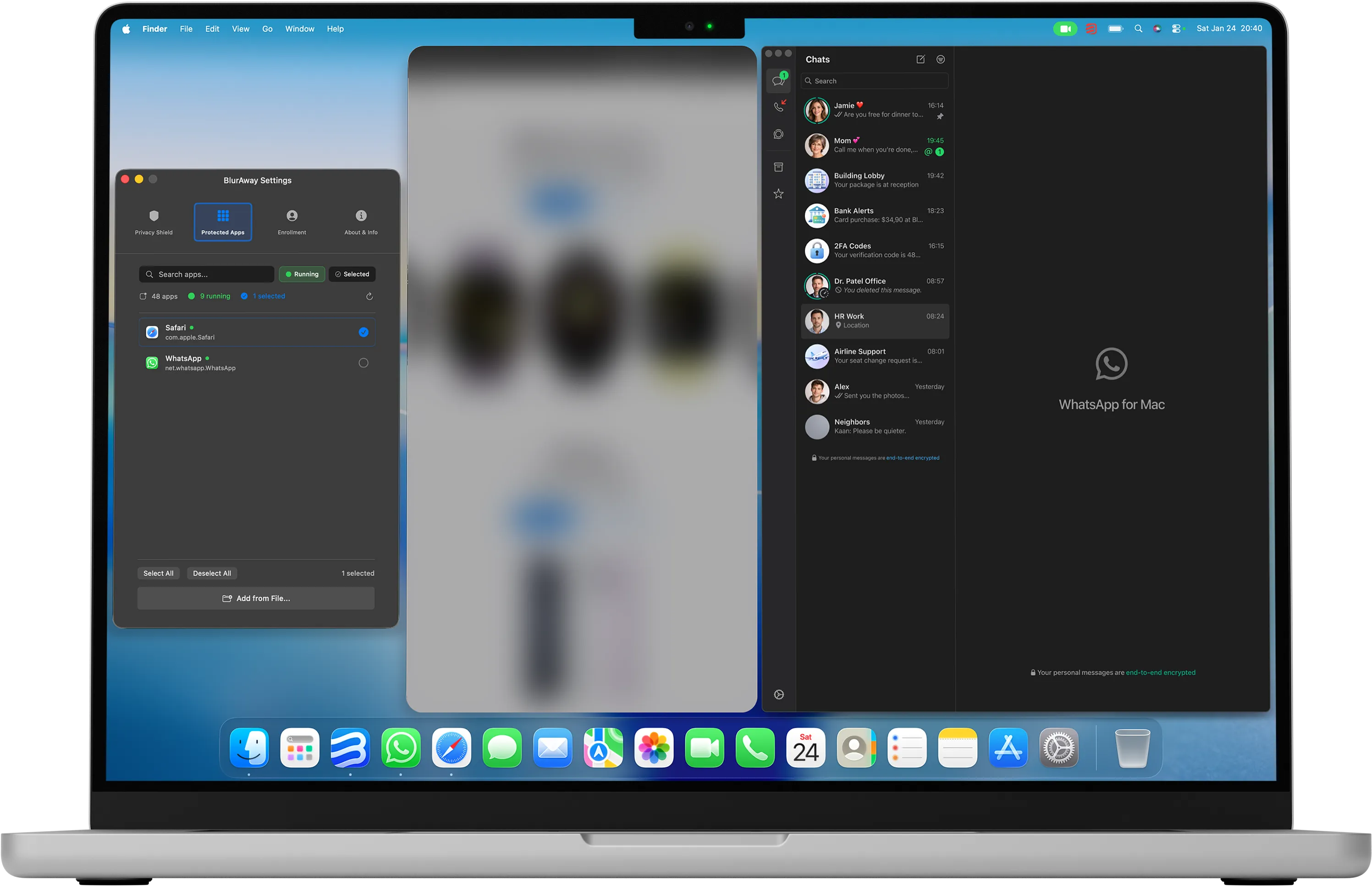
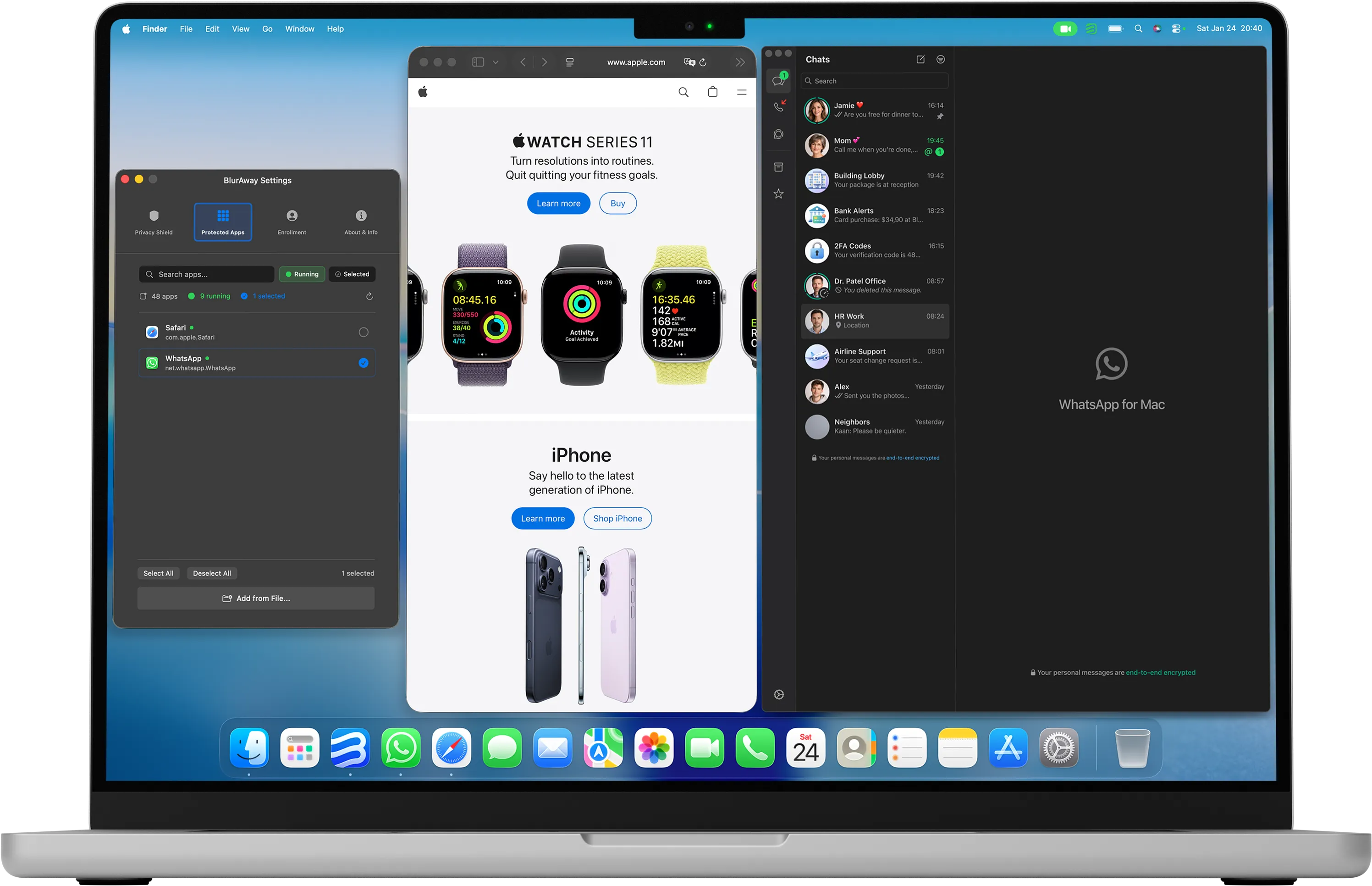
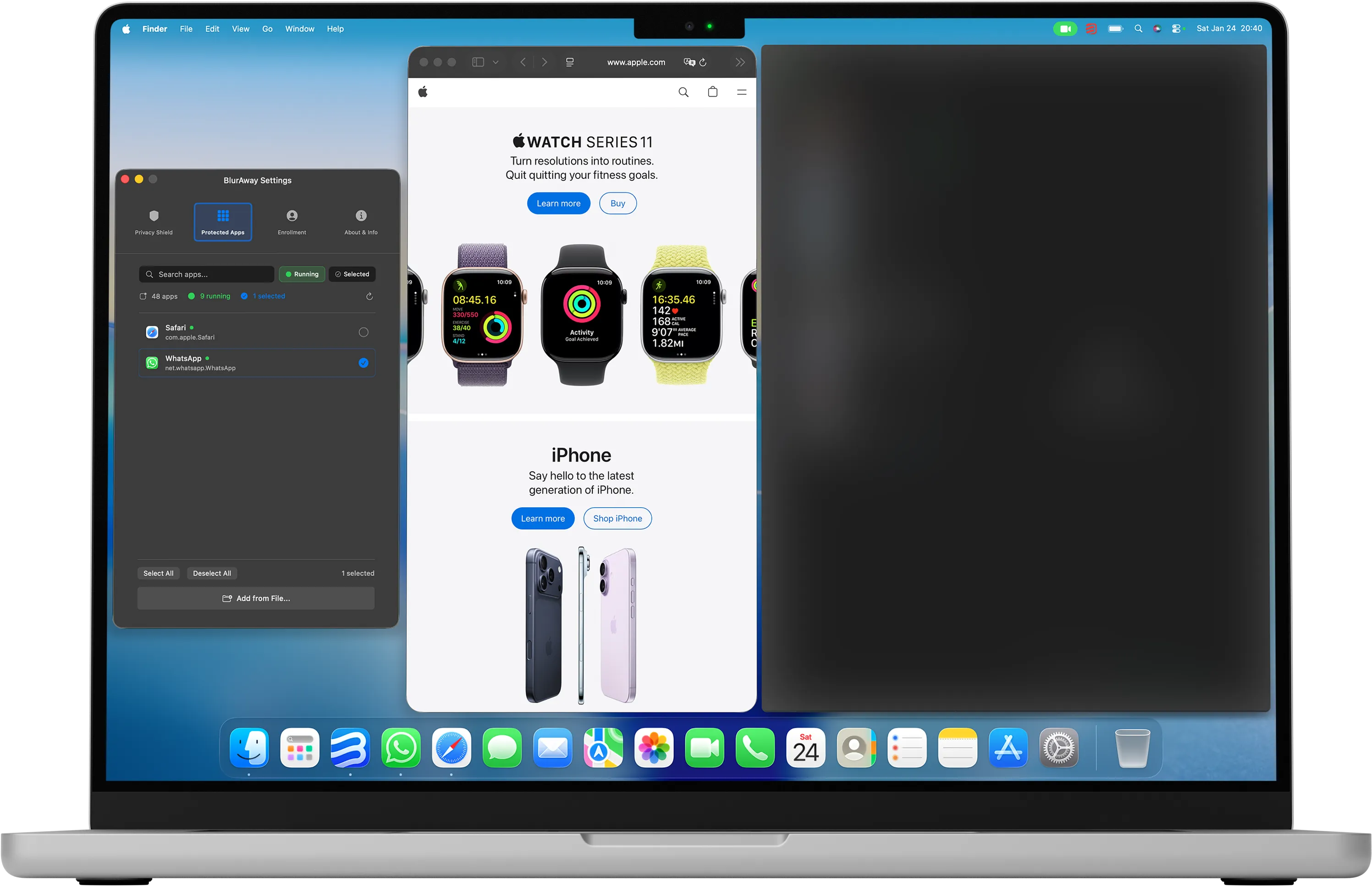
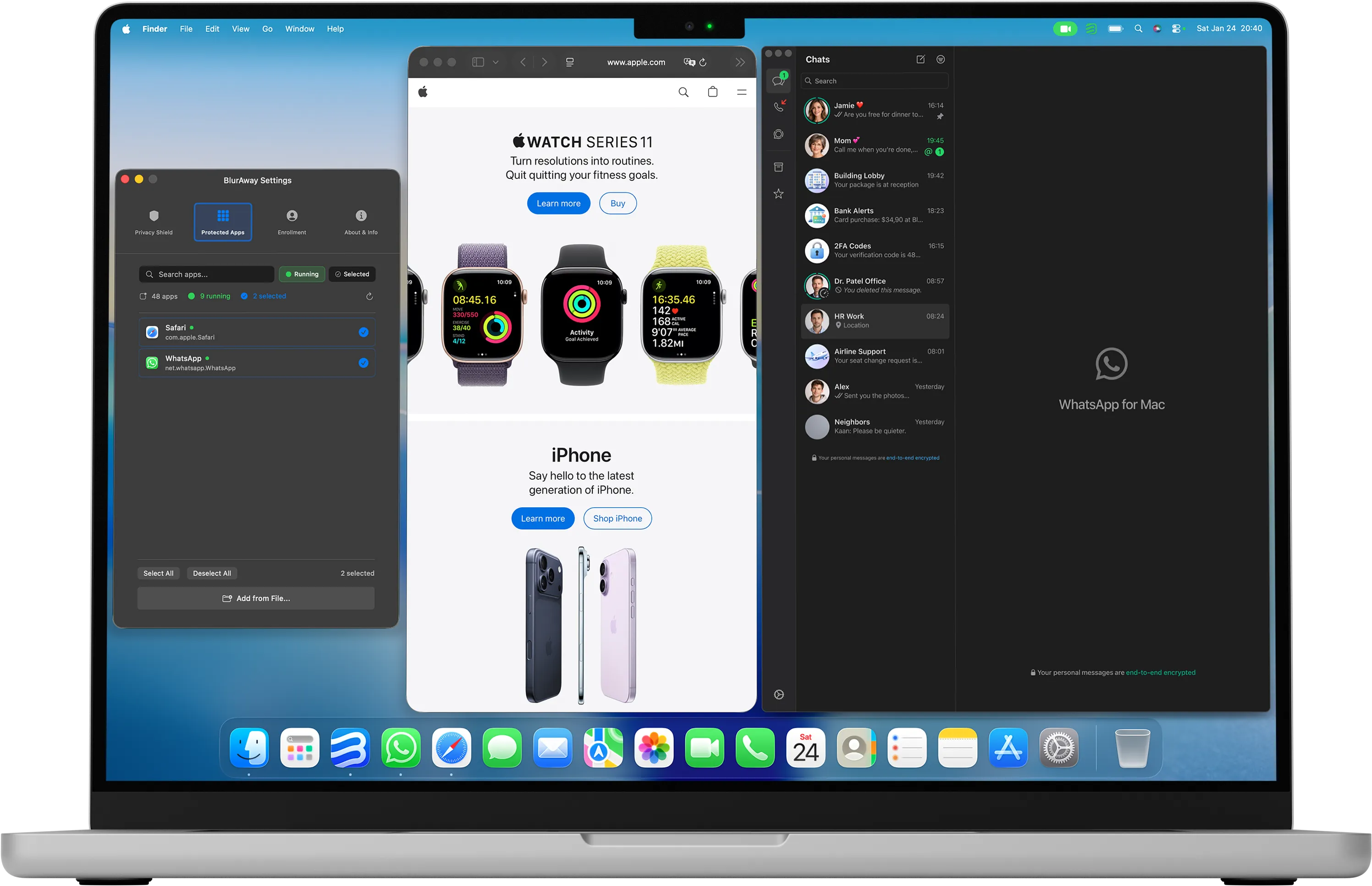
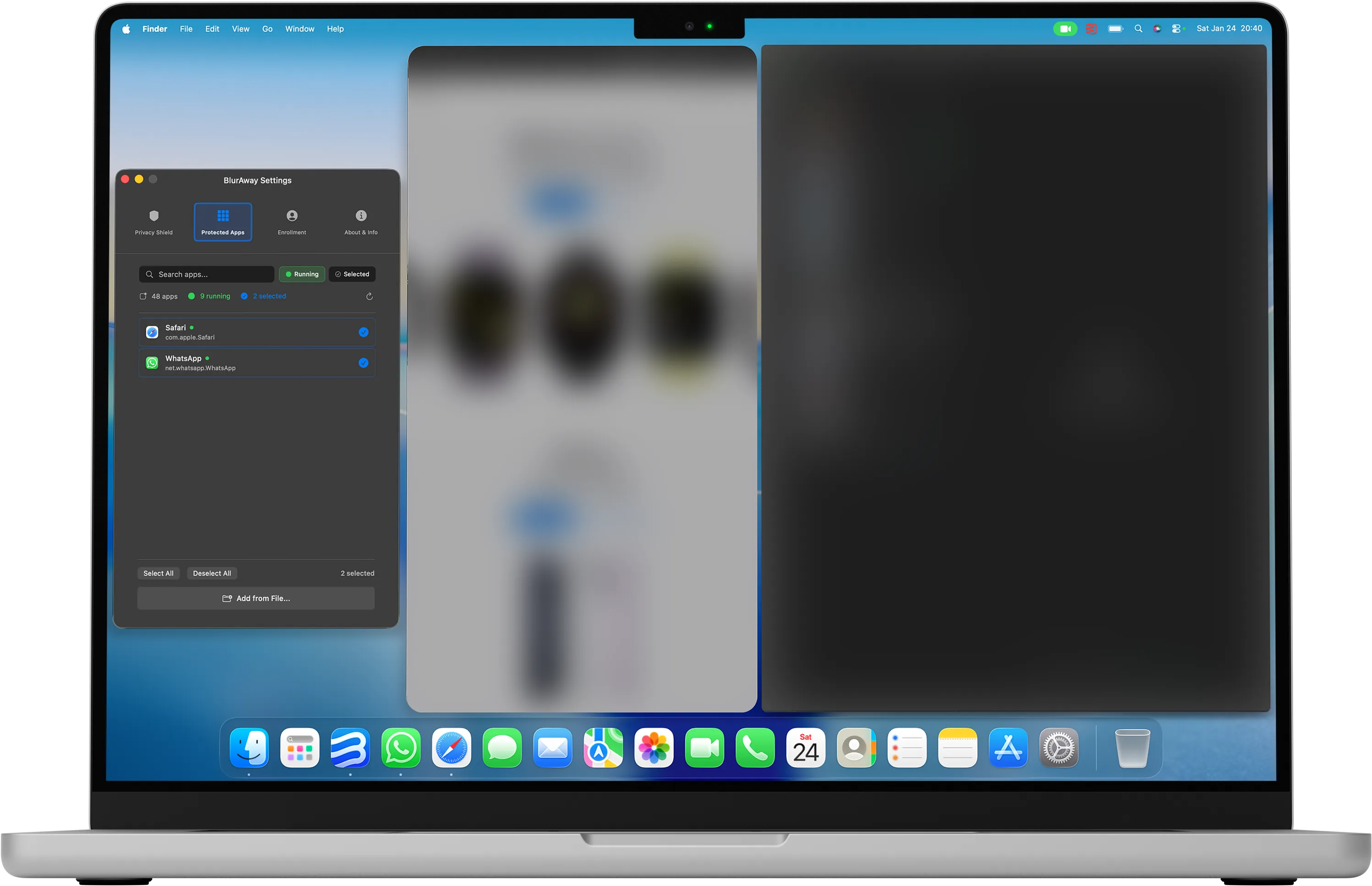
Set up in under a minute
Enroll once, choose the apps to protect, and turn on Privacy Shield. You are ready.
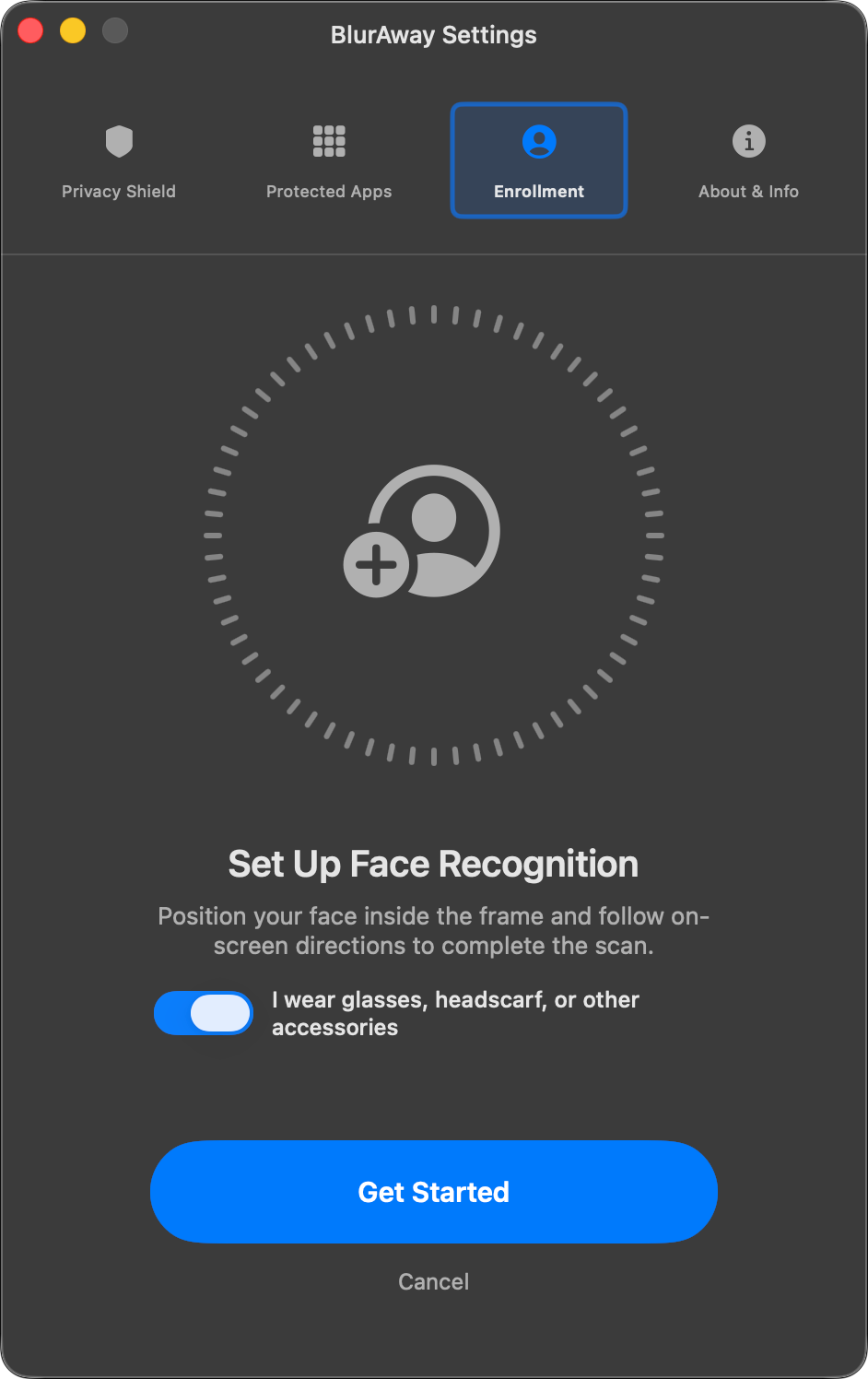
Enroll your face
One time setup that takes seconds.
Pick protected apps
Choose the apps you want BlurAway to protect. Everything else stays normal.
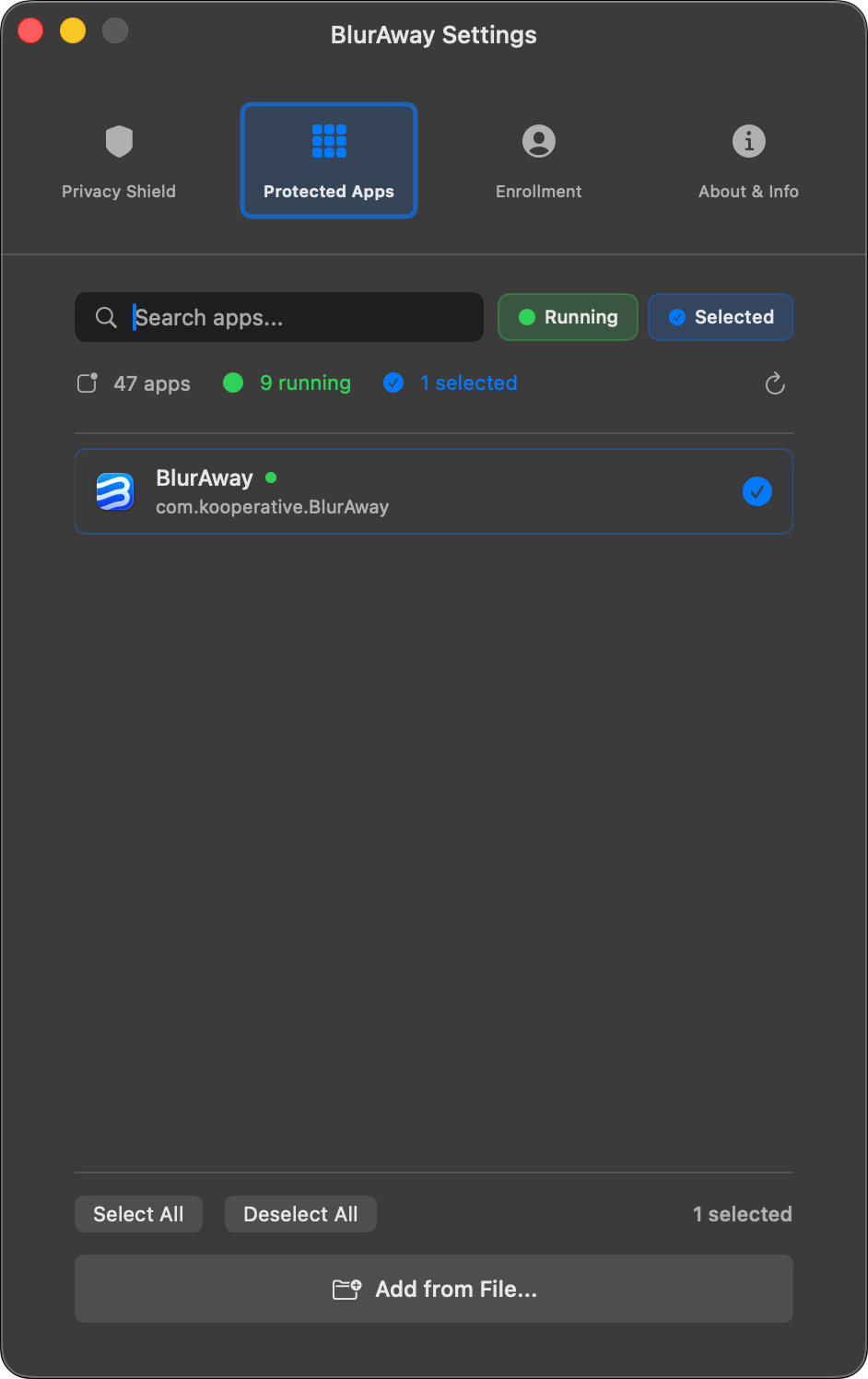
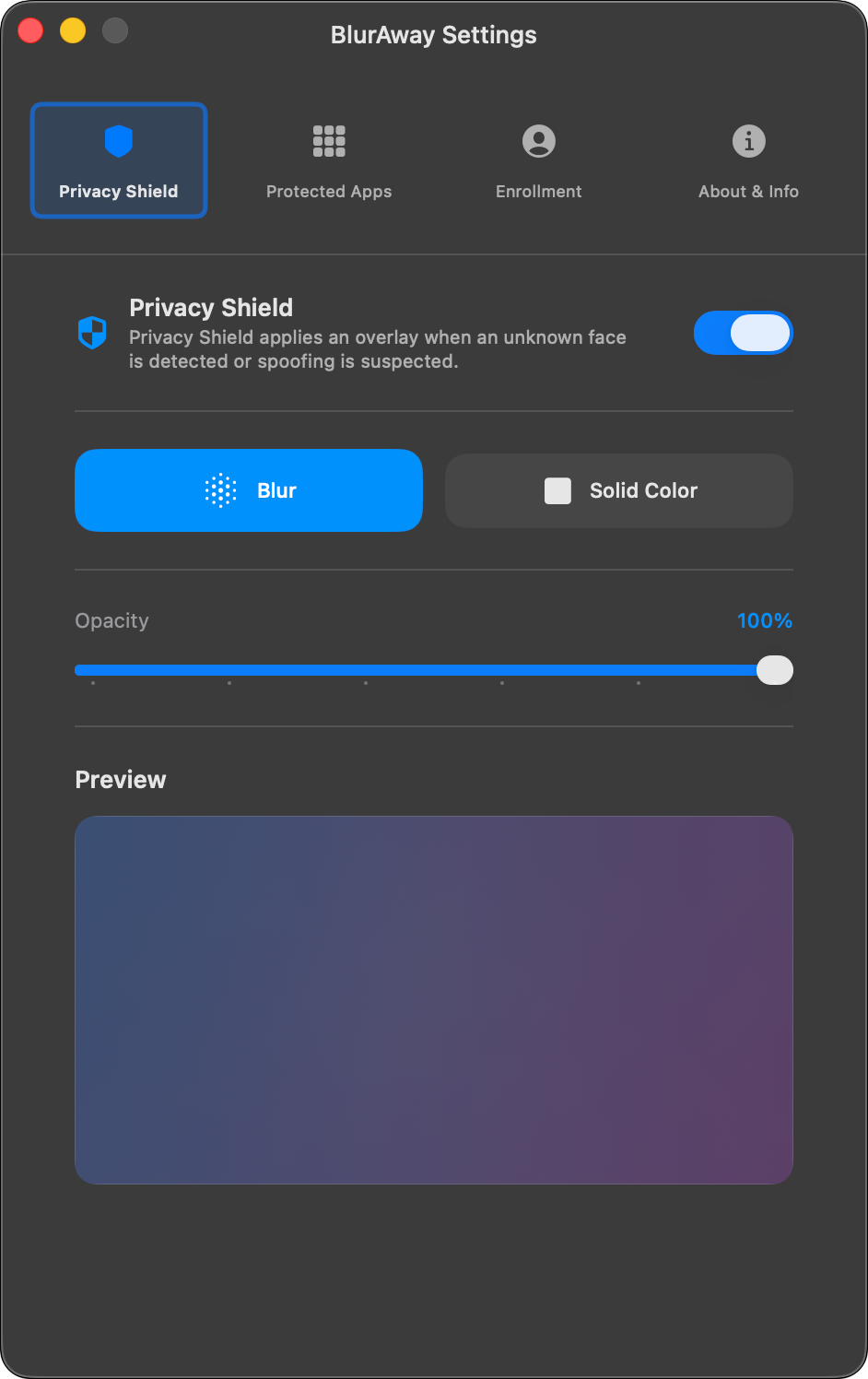
Turn on Privacy Shield
Enable it once. BlurAway reacts the moment you step away or someone else appears.
Privacy, supercharged
Advanced facial recognition meets system-level control.
Multi monitor
Protects your selected apps across every display automatically.
100% on-device. Zero cloud.
Runs locally on your Mac. No uploads. No camera recordings. Your face profile is stored encrypted on your Mac.
Lightweight by default
Uses minimal resources when stable. Speeds up only when it detects change.
App based protection
Choose the apps you want to protect. Everything else stays untouched.
Visible only to you
Step away or someone appears. Protected apps blur instantly.
Blur or solid cover
Use blur for context or a solid color for maximum privacy.
Made for everyday moments
Stay focused even when your screen is not just yours.



Unexpected interruptions
Someone walks up while you are busy. Keep selected apps hidden without breaking your flow.




Notifications and messages
Messages appear at the worst time. Keep private chats from being seen at a glance.



Personal browsing
Private tabs happen in real life. Keep your browsing to yourself in shared spaces.


Shared rooms
People pass by more often than you think. Keep sensitive apps calm and private at home.
Privacy you can verify
Runs locally on your Mac with no uploads and no camera recordings.
What we do
- Detect presence locally
- Blur only selected apps
- Store your profile on your Mac
- Work offline
- Protect settings with a PIN
- Show clear status in the menu bar
What we never do
- Upload video
- Record your camera feed
- Save camera frames
- Take screenshots
- Send data to the cloud
- Collect app telemetry from your Mac
Simple pricing for absolute privacy.
No hidden fees, no complicated plans. Secure your personal apps instantly and test it out risk-free.
Yearly
- Auto-hides apps when someone looks
- Auto-hides when you step away
- Only you can unlock the screen
- Detects real faces, not photos
- Protects only the apps you choose
- No one can force-quit without your PIN
- Up to 2 devices
- Automatic updates
Before checkout, confirm the agreements below.
Your acceptance is recorded before checkout and expires after 30 minutes.
No charge today. Cancel anytime.
Lifetime
- Auto-hides apps when someone looks
- Auto-hides when you step away
- Only you can unlock the screen
- Detects real faces, not photos
- Protects only the apps you choose
- No one can force-quit without your PIN
- Up to 2 devices
- Lifetime updates included
Before checkout, confirm the agreements below.
Your acceptance is recorded before checkout and expires after 30 minutes.
FAQ
Quick answers before you download.
It blurs the apps you choose when you are not the only one looking at your screen. When you are alone, everything stays visible.
Yes. Some people search for BlurAway as Blur Away. This is the official website for the same macOS privacy app.
You pick the apps during setup. BlurAway watches those apps and protects their windows automatically.
You select apps. You do not need to manage individual windows.
Yes. You can use it without an internet connection.
Camera permission is used to detect presence. Accessibility permission is required to protect selected apps.
Yes. You can toggle protection anytime from the menu bar.
Ready to take back
your privacy?
BlurAway automatically hides your screen from prying eyes. Secure your workflow in seconds.